Next.js
8 minutes readBuilding a Next.js PWA: Manual Service Worker vs Serwist
Compare a hand-written service worker with Serwist, from caching strategies and offline fallbacks to updates, deployment, and the trade-offs that matter in production.
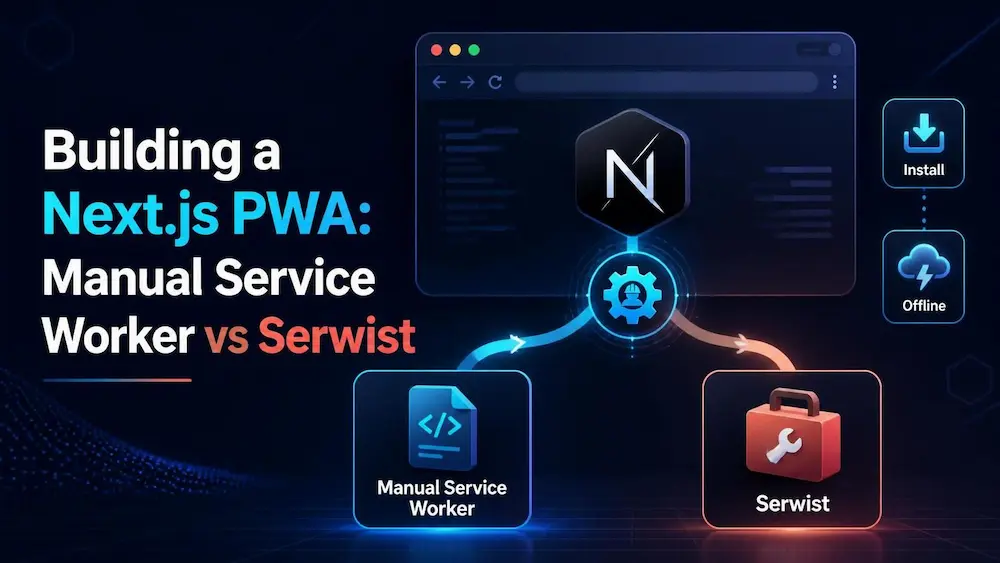
A production PWA is a set of explicit decisions: what can be installed, what remains available offline, which responses may be cached, and how users move safely between releases. A manifest alone does not create offline behavior. This guide compares a small manual worker with Serwist and explains each moving part.
1. Start with the web app manifest
The manifest describes install-facing metadata such as the app name, launch URL, display mode, colors, and icons. It does not cache pages or intercept requests. In the App Router, app/manifest.ts can generate it as a typed route. Make sure every icon path exists and test the install prompt on supported browsers.
import type { MetadataRoute } from "next";

export default function manifest(): MetadataRoute.Manifest {
  return {
    id: "/",
    name: "Arka Workspace",
    short_name: "Arka",
    description: "An installable workspace app",
    start_url: "/",
    scope: "/",
    display: "standalone",
    background_color: "#ffffff",
    theme_color: "#0f766e",
    icons: [
      { src: "/icons/icon-192.png", sizes: "192x192", type: "image/png" },
      { src: "/icons/icon-512.png", sizes: "512x512", type: "image/png" },
    ],
  };
}
2. Manual Service Worker: understand the lifecycle
A service worker is an event-driven script running separately from the page. install is a chance to pre-cache a tiny shell; activate is where obsolete caches can be removed; fetch lets you define request-specific behavior. waitUntil keeps the browser from ending the lifecycle event before asynchronous work finishes.
const SHELL_CACHE = "shell-v1";
const IMAGE_CACHE = "images-v1";
const SHELL = ["/offline", "/icons/icon-192.png"];

self.addEventListener("install", (event) => {
  event.waitUntil(caches.open(SHELL_CACHE).then((cache) => cache.addAll(SHELL)));
  self.skipWaiting();
});

self.addEventListener("activate", (event) => {
  event.waitUntil((async () => {
    const keys = await caches.keys();
    await Promise.all(keys.filter((key) => ![SHELL_CACHE, IMAGE_CACHE].includes(key)).map((key) => caches.delete(key)));
    await self.clients.claim();
  })());
});

self.addEventListener("fetch", (event) => {
  const request = event.request;
  const url = new URL(request.url);
  if (request.method !== "GET" || url.origin !== self.location.origin) return;

  if (request.mode === "navigate") {
    event.respondWith(fetch(request).catch(async () => (await caches.match("/offline")) || Response.error()));
    return;
  }

  if (request.destination === "image") {
    event.respondWith((async () => {
      const cached = await caches.match(request);
      if (cached) return cached;
      const response = await fetch(request);
      if (response.ok) (await caches.open(IMAGE_CACHE)).put(request, response.clone());
      return response;
    })());
  }
});
3. Install Serwist and wrap the Next.js config
Serwist provides a toolkit for precaching build assets and applying runtime caching rules without hand-maintaining every low-level event. The integration wraps the Next config so the build can generate the service-worker output and inject the precache manifest. The exact package compatibility and configuration can change; align the package versions with the current Serwist guide and your Next.js version.
npm install @serwist/next serwistimport type { NextConfig } from "next";
import withSerwistInit from "@serwist/next";
const withSerwist = withSerwistInit({
swSrc: "src/app/sw.ts",
swDest: "public/sw.js",
disable: process.env.NODE_ENV === "development",
});
const nextConfig: NextConfig = {};
export default withSerwist(nextConfig);4. Read the Serwist worker line by line
swSrc points to the source worker and swDest is the generated public file. __SW_MANIFEST is injected by the build and lists assets eligible for precaching. defaultCache supplies a baseline of runtime rules; review it instead of assuming it matches your privacy and freshness requirements. skipWaiting and clientsClaim make a new worker take control sooner, which is convenient but can mix old open tabs with new assets. For apps where that risk matters, implement an explicit “update available” flow instead.
import { defaultCache } from "@serwist/next/worker";
import type { PrecacheEntry, SerwistGlobalConfig } from "serwist";
import { Serwist } from "serwist";

declare global {
  interface WorkerGlobalScope extends SerwistGlobalConfig {
    __SW_MANIFEST: (PrecacheEntry | string)[];
  }
}

declare const self: ServiceWorkerGlobalScope;

const serwist = new Serwist({
  precacheEntries: self.__SW_MANIFEST,
  skipWaiting: true,
  clientsClaim: true,
  navigationPreload: true,
  runtimeCaching: defaultCache,
});
serwist.addEventListeners();
5. Register the worker only in the browser
The registration component is a Client Component because navigator exists only in the browser. Registering only in production avoids confusing development behavior and stale caches while hot reload is active. Render this component once in your root layout. Registration success does not mean the app is fully offline-capable: the worker still needs correct routes, cache rules, and a real production test.
"use client";

import { useEffect } from "react";

export function PwaRegister() {
  useEffect(() => {
    if (!("serviceWorker" in navigator)) return;
    if (process.env.NODE_ENV !== "production") return;

    navigator.serviceWorker.register("/sw.js").catch((error) => {
      console.error("Service worker registration failed", error);
    });
  }, []);

  return null;
}
6. Pick a cache strategy by resource
Cache First suits versioned static assets that rarely change; Network First is useful when fresh content matters but a cached fallback is acceptable; Stale While Revalidate returns a cached response quickly while updating it in the background. Do not blindly cache authenticated API responses, payment results, or user-specific HTML. Cache keys, expiration, quota, and invalidation are part of the product design.
7. Updates, stale chunks, and offline fallbacks
A deployed Next.js version may remove old JavaScript chunks while an already-open tab still references them. Aggressive activation can expose this mismatch. Keep the offline page in the precache list, version your own runtime caches, remove only caches your worker owns, and test upgrades from a previous deployed release. Offline mutations need a separate queue-and-retry design; a cached page alone does not make writes work offline.
8. Production test checklist
- Build and serve the production app over HTTPS or localhost.
- Inspect Application → Service Workers and Cache Storage in DevTools.
- Test offline navigation, missing images, a new deployment, and restoration after clearing site data.
- Check that private API responses are never shared between accounts.
Manual worker or Serwist?
Choose manual code when the rules are small, unusual, and easy to test. Choose Serwist when you need precaching, multiple runtime strategies, and a build-integrated workflow. Neither choice replaces careful cache design, security review, and upgrade testing.